Obsidian Plugin
Cooklang Rich Preview
Preview Cooklang .cook recipe files directly in Obsidian with rich rendering, highlighted ingredients, and step-by-step directions. Built on the Cooklang markup language.
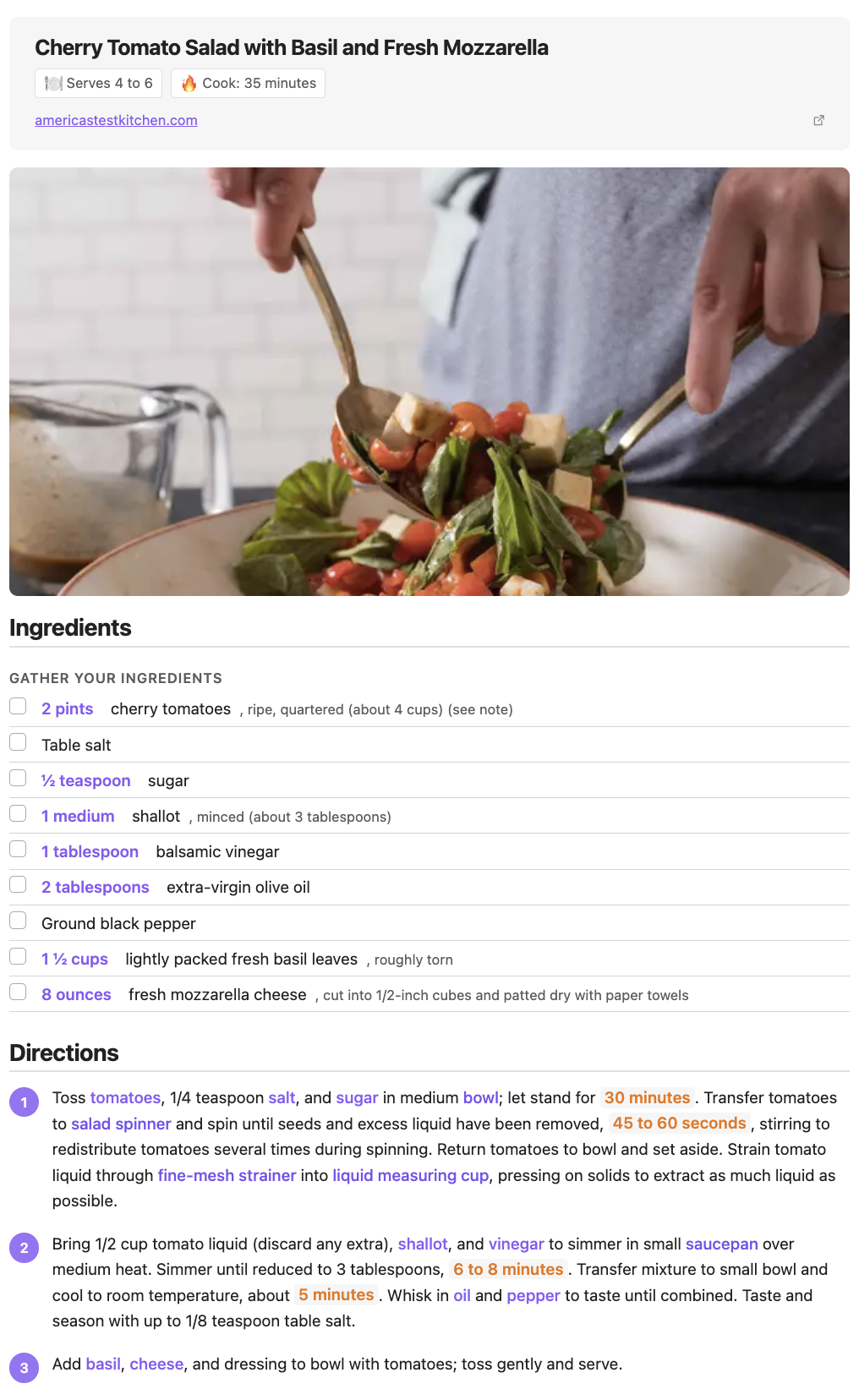
From source to rich preview
Write recipes in Cooklang syntax. Cooklang Rich Preview renders them instantly.
Source
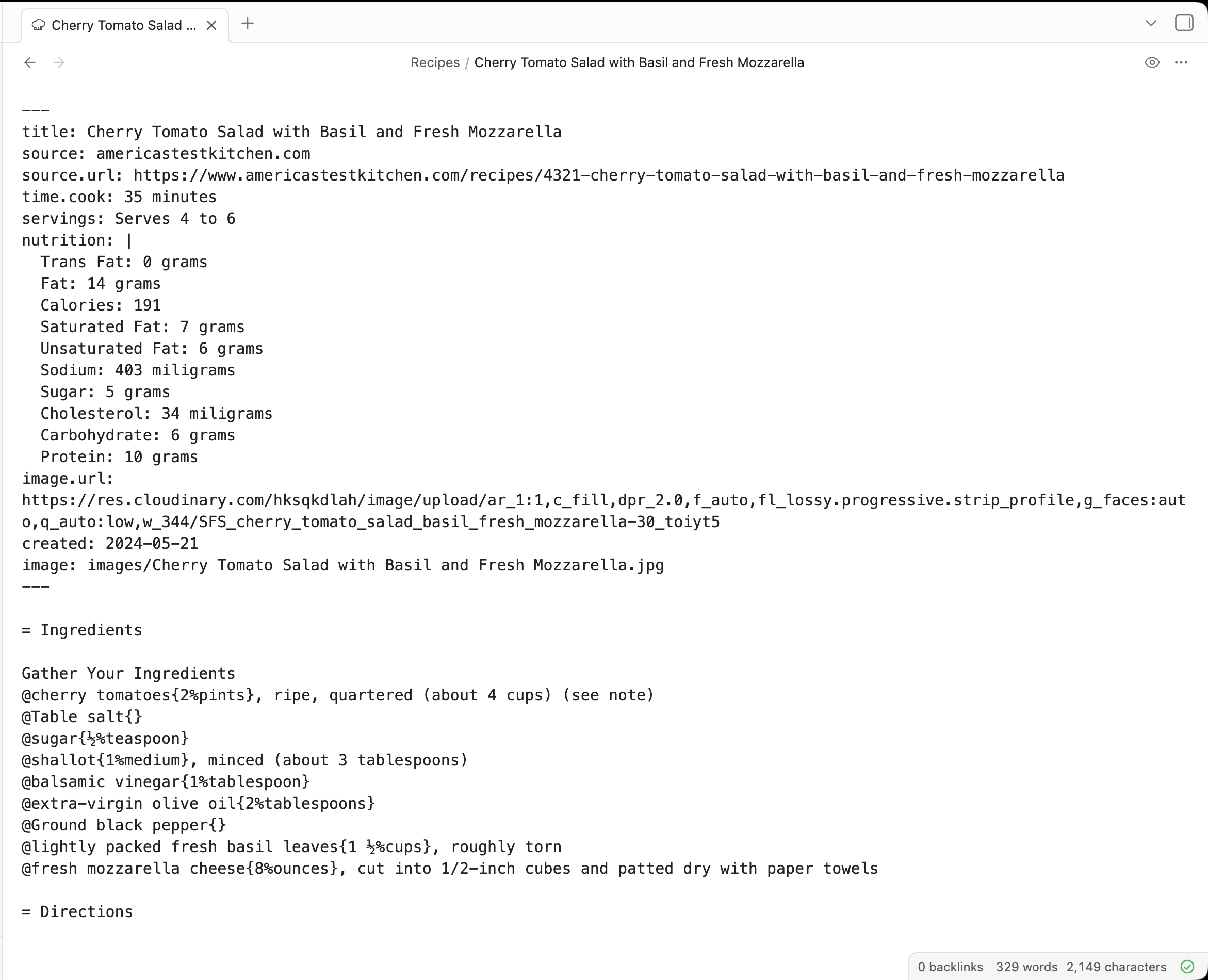
Preview
Everything you need for Cooklang recipes
Rich Recipe Rendering
Ingredients, cookware, and timers are highlighted and formatted for easy reading.
YAML Frontmatter
Add metadata like title, servings, and prep time with standard YAML frontmatter.
Section-Aware
Recipes organized into sections with ingredients lists and numbered steps.
Syntax Highlighting
Cooklang syntax highlighted in the editor for ingredients, cookware, and timers.
Checkbox Ingredients
Check off ingredients as you gather them for your recipe.
.cook File Support
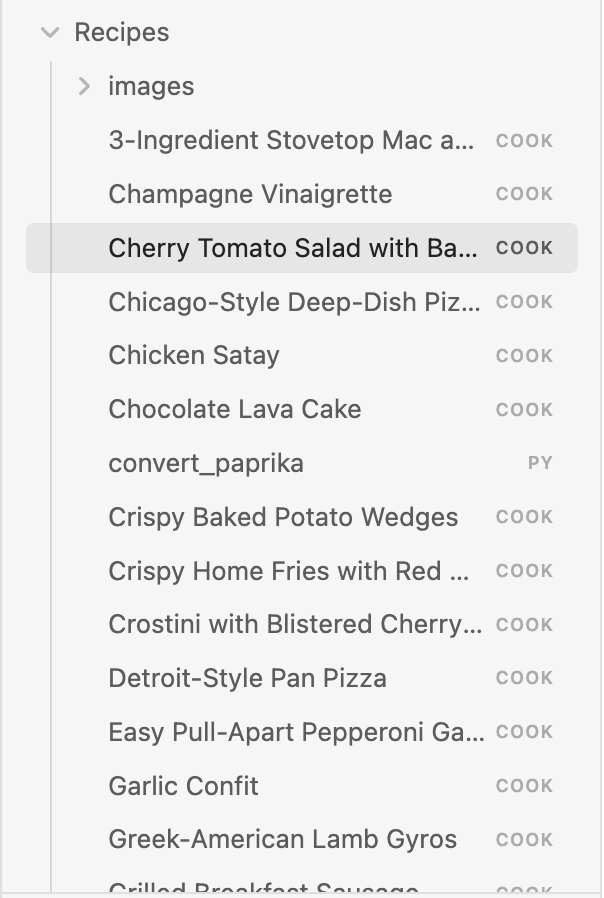
Open and preview .cook files directly in your Obsidian vault.
Up and running in minutes
Install the plugin
Open Obsidian Settings, go to Community Plugins, and search for "Cooklang Rich Preview".
Open a .cook file
Create or open any .cook file in your vault using Cooklang syntax.
See the rich preview
Your recipe is rendered with highlighted ingredients, cookware, timers, and step numbers.
Ready to preview your recipes?
Install Cooklang Rich Preview and turn your .cook files into beautifully rendered recipes.